9.80. Erode/Dilate Mask
Group (Subgroup)
Processing (Cleanup)
Description
If the mask is dilated, the Filter grows the true regions by one Cell in an iterative sequence for a user defined number of iterations. During the dilate process, the classification of any Cell neighboring a false * Cell* will be changed to true. If the mask is eroded, the Filter shrinks the true regions by one Cell in an iterative sequence for a user defined number of iterations. During the erode process, true Cells that have at least one false neighbor are changed to false. The Filter also offers the option(s) to turn on/off the erosion or dilation in specific directions (X, Y or Z).
This filter will ONLY change the Mask data array and not any of the other data arrays in the same attribute matrix.
The example images below were generated AFTER the execution of the filter and essentially any black pixel is where the Mask was false and any other color is where the Mask is true. (The colors are the typical IPF Colors using a <001> reference direction)
Before Dilatation |
After Dilation |
|---|---|
|
|
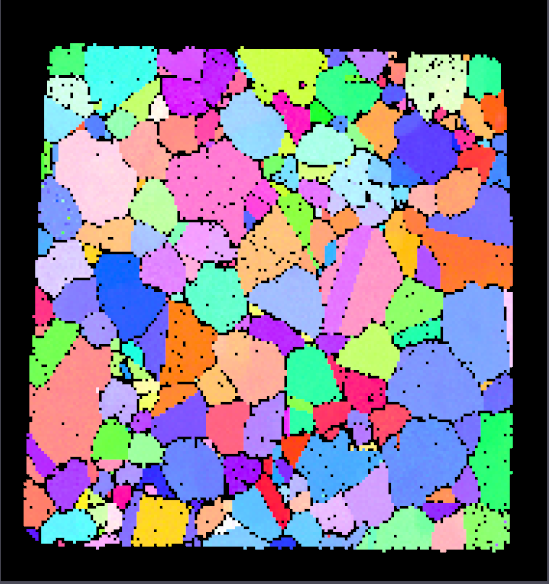
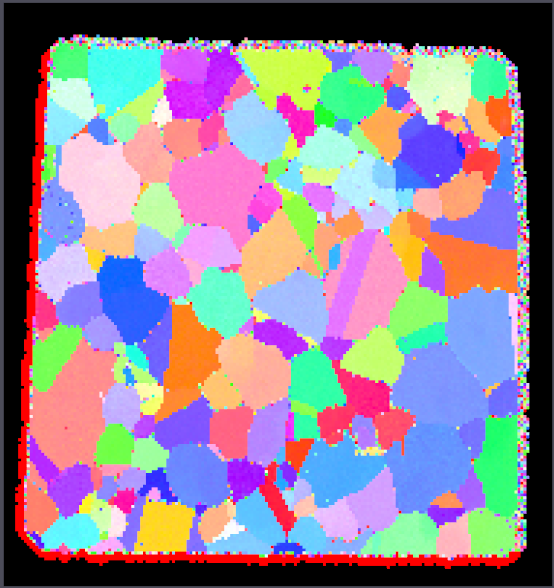
Before Erosion |
After Erosion |
|---|---|
|
|
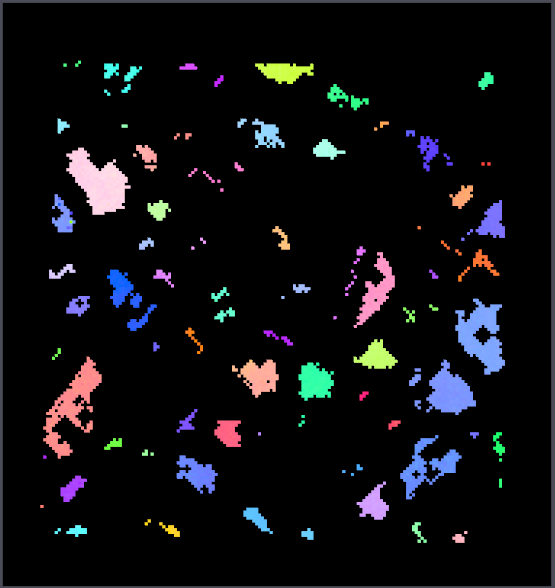
Input Parameter(s)
Parameter Name |
Parameter Type |
Parameter Notes |
Description |
|---|---|---|---|
Operation |
Choices |
Whether to dilate (0) or erode (1) |
|
Number of Iterations |
Scalar Value |
Int32 |
Number of erode/dilate iterations to perform |
X Direction |
Bool |
Whether to erode/dilate in the X direction |
|
Y Direction |
Bool |
Whether to erode/dilate in the Y direction |
|
Z Direction |
Bool |
Whether to erode/dilate in the Z direction |
Input Cell Data
Parameter Name |
Parameter Type |
Parameter Notes |
Description |
|---|---|---|---|
Selected Image Geometry |
Geometry Selection |
Image |
The target geometry |
Mask Array Path |
Array Selection |
Allowed Types: boolean Comp. Shape: 1 |
Boolean array where true voxels are used. False voxels are ignored. |
Example Pipelines
License & Copyright
Please see the description file distributed with this Plugin
DREAM3D-NX Help
If you need help, need to file a bug report or want to request a new feature, please head over to the DREAM3DNX-Issues GitHub site where the community of DREAM3D-NX users can help answer your questions.