10.73. Create Surface Mesh (Surface Nets)

Group (Subgroup)

Surface Meshing (Generation)

Description

This filter generates a Triangle Geometry (a surface mesh) that wraps the boundaries between labeled regions in a volume. It uses the Surface Nets algorithm from {1}. The code is based directly on the sample code from that paper, modified to work with the simplnx library classes.

Unlike marching cubes (a classic algorithm that builds an isosurface by placing triangles inside each cube of eight neighboring Cells), Surface Nets keeps sharp edges between materials while still producing a mesh that is generally smoother and higher quality than either marching cubes or the older Create Surface Mesh (QuickMesh) approach.

An isosurface is the surface that separates regions above a threshold from regions below it; for a labeled volume the “threshold” is simply the boundary between one Feature label and a different one.

From the abstract of the paper:

We extend 3D SurfaceNets to generate surfaces of segmented 3D medical images composed of multiple materials represented as indexed labels. Our extension generates smooth, high- quality triangle meshes suitable for rendering and tetrahedralization, preserves topology and sharp boundaries between materials, guarantees a user-specified accuracy, and is fast enough that users can interactively explore the trade-off between accuracy and surface smoothness.

The filter writes a Face Labels array on each triangle: a 2-component value holding the Feature Id on either side of the triangle. The filter guarantees the smaller of the two Face Labels values is always stored in the first component (component 0), so that assumptions made in downstream filters continue to work correctly.

The filter also attempts to repair the triangle winding (the order in which a triangle’s three vertices are listed, which determines the direction its normal points). A fully consistent winding may not be achievable because of how meshes are stored in the software; see Verify Triangle Winding for a detailed breakdown of the nuances.

The Relaxation Iterations parameter is a dimensionless count of smoothing passes, and Max Distance from Voxel Center is a physical length (same units as the Image Geometry spacing) limiting how far a node may move from its originating voxel center.


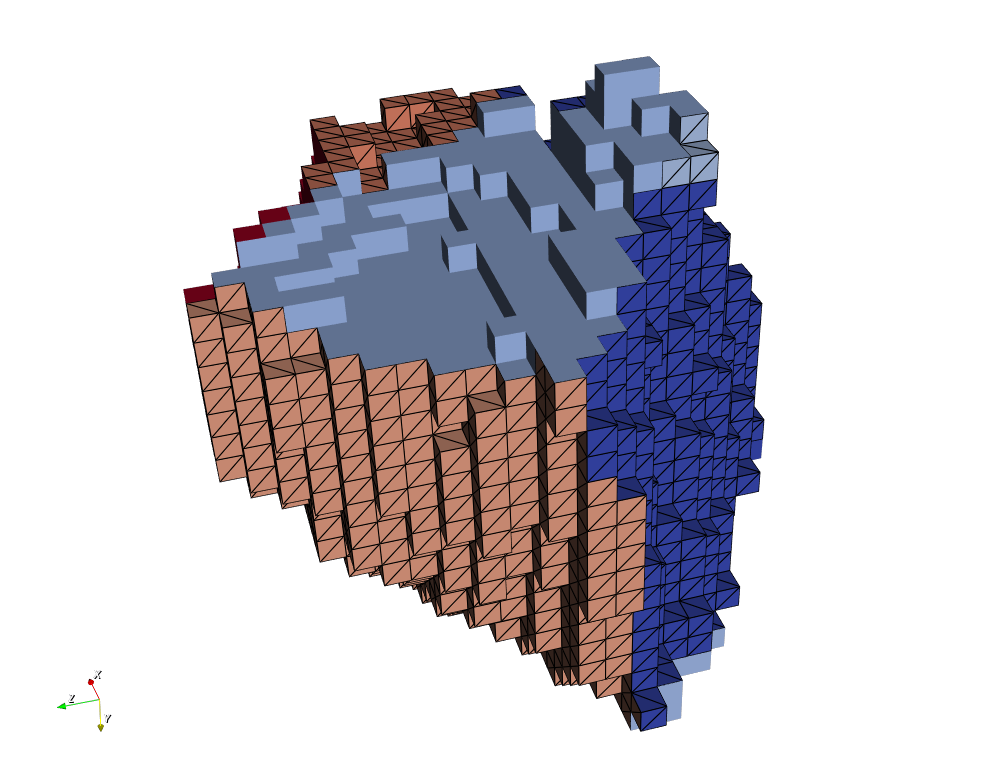
Example SurfaceNets Output

SurfaceNets without the built-in smoothing applied
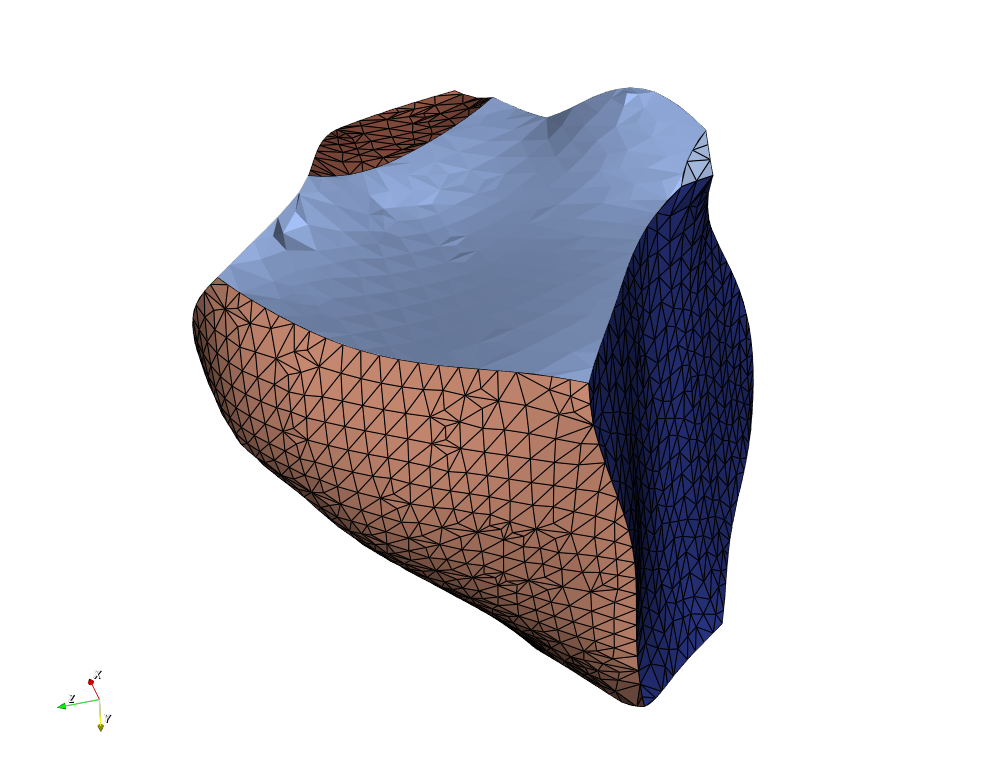

Example SurfaceNets Output

SurfaceNets output with the built-in smoothing operation applied.


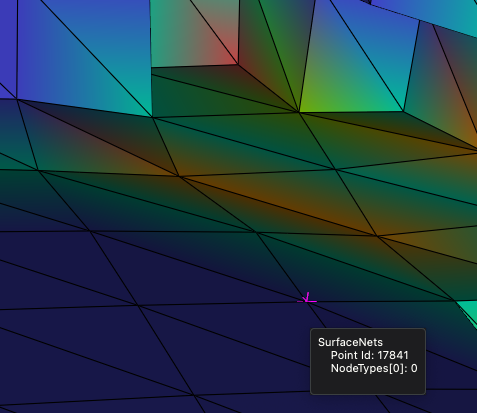
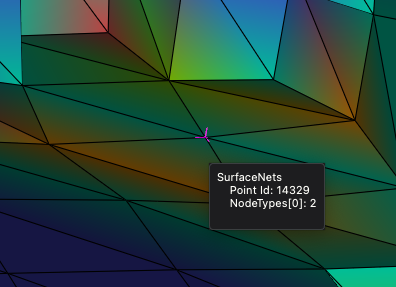
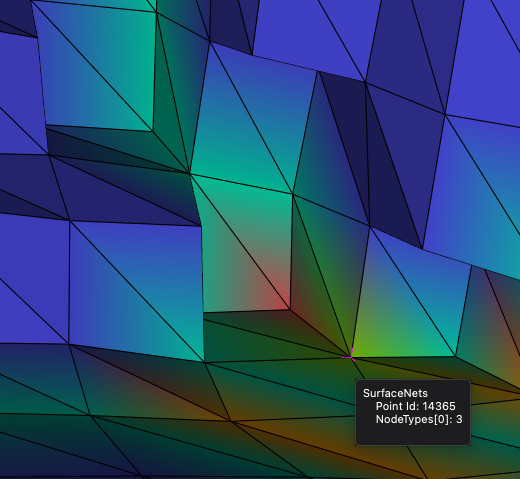
Node Types

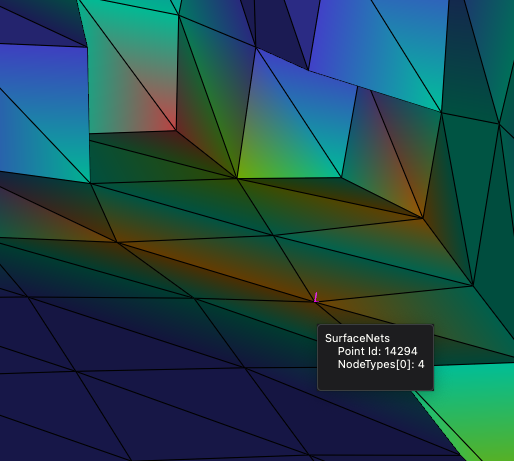
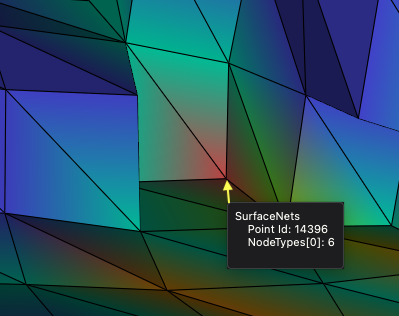
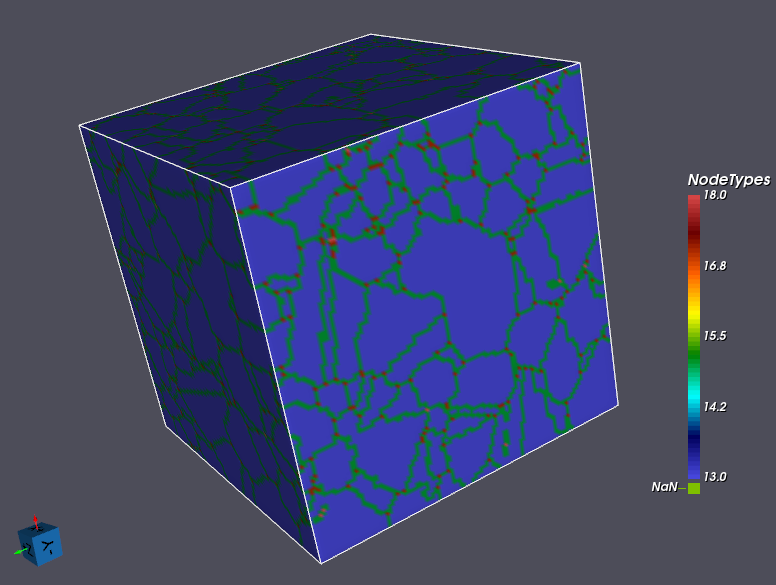
During the meshing process, each vertex, or node, will get a “Node Type” value assigned to it. This filter uses the same convention as the Create Surface Mesh (QuickMesh) and Create Surface Mesh (M3C) Filters: the value is the number of distinct Features meeting at the node, capped at 4, plus 10 when the node lies on the outer surface of the bounding box. The region outside the volume counts as one of those owners, which is why an ordinary vertex on the wall between the exterior and a single Feature is 12 — two owners, one of them the exterior — rather than 11.

Id Value

Node Type

2

Normal Vertex

3

Triple Line

4

Quadruple Point (four or more Features meet)

12

Normal Vertex on the outer surface of the bounding box

13

Triple Line on the outer surface of the bounding box

14

Quadruple Point on the outer surface of the bounding box

Exterior or Boundary Nodes

Nodes that appear on the outer surface of the bounding box have Node Type values starting at 12 and going up from there. For instance, a triple line that is also on the exterior of the volume has a value of 13.

Exterior or Boundary Triangles

Each triangle has a 2-component Face Labels array that holds the Feature Id on either side of the triangle. If a triangle lies on the border of the virtual bounding box, one of its Face Labels values is -1.

Notes

This filter should be used in place of the Create Surface Mesh (QuickMesh) filter.

Changed Behavior for Existing Pipelines

Two defects in this filter’s output were fixed as part of adding the Bounding Box Skin option below. Both fixes apply unconditionally – they are not gated by that new option – so any pipeline that already used this Filter will see different (corrected) output the next time it runs, with no parameter change on the user’s part:

  • Face Labels: a face between the exterior and Feature Id 0 is now reported as {-1, 0}. Previously it was reported as {-1, -1}. Likewise, a face between Feature Id 0 and another Feature k is now {0, k}; previously it was reported as {-1, k}.

  • Node Types: values were previously a junction-face-crossing count in the range 0-6, with exterior-node variants offset inconsistently. They now follow the shared convention described above (2/3/4 for interior nodes, 12/13/14 on the bounding box wall), matching Create Surface Mesh (QuickMesh) and Create Surface Mesh (M3C).

  • Vertex Z coordinate on anisotropic spacing: the half-voxel offset this Filter applies when relocating each vertex used the Y spacing for the Z component instead of the Z spacing. Every vertex’s Z coordinate was wrong on any Image Geometry with anisotropic spacing (Z spacing different from Y spacing); it is correct now. Volumes with isotropic spacing (all three spacing values equal) were unaffected and see no change from this fix.

If you hand-tuned a Node Type range parameter against this Filter’s old values, if you rely on smoothing Filters (Laplacian Smoothing, Hierarchical Smoothing) downstream that read Node Types, or if you compare newly generated output against previously stored SurfaceNets results generated on anisotropic-spacing data, re-check it against the corrected behavior above.

Comparison of Surface Meshing Filters

DREAM3D-NX provides three Filters that convert a segmented grid into a multi-material triangle surface mesh. All three produce the same output data model (a Triangle Geometry with Face Labels and Node Types), so they are interchangeable inputs to downstream mesh Filters; they differ in how the triangles are generated and therefore in mesh smoothness, triangle count, and performance.

Aspect

Create Surface Mesh (QuickMesh)

Create Surface Mesh (Surface Nets)

Create Surface Mesh (M3C)

Algorithm

Voxel-face (“staircase”)

Dual (SurfaceNets)

Primal multi-material marching cubes

Vertex placement

Voxel corners

One relaxed vertex per boundary Cell

On Cell edges/faces

Surface quality

Blocky / stair-stepped

Smooth, sharp edges preserved

Faceted (marching-cubes)

Built-in smoothing

No (apply Laplacian Smoothing afterward)

Yes, optional and accuracy-controlled

No (apply Laplacian Smoothing afterward)

Relative triangle count

Highest

Lowest

Moderate to high (configuration dependent)

Multi-material junctions

Yes

Native

Yes (via case table)

Performance

Fastest

Fast (parallelized)

Moderate (multithreaded)

Status

Deprecated

Recommended default

Specialized / legacy-compatible

Guidance: Surface Nets is the recommended default for most workflows — it yields the smoothest mesh with the fewest triangles and preserves sharp boundaries. Use M3C when a primal, marching-cubes case-table topology is required for a specific downstream modeling or simulation workflow. QuickMesh is retained for backward compatibility.

Bounding Box Skin

The six outer walls of the Image Geometry’s bounding box are not real interfaces — they are artifacts of where the volume was cropped. This option controls whether triangles are generated to cover them. Wall faces carry a Face Label of -1 on their exterior side.

Off (default)

All six walls are covered. Note that wherever an internal Feature-Feature boundary meets a wall, three faces share that edge — the internal boundary plus the two wall faces on either side of it — a non-manifold T-junction inherent to including the full skin.

Background-Backed Walls Only

A wall face is omitted where the Voxel behind it is background (Feature Id 0), that is, where its Face Labels would be {-1, 0}. Wall faces that cap a real Feature are still generated, because that cut plane is the only possible closure for a Feature flush with the box; a cylinder sitting flush with the box floor therefore comes out as a closed surface with no surrounding box.

Because the test is per face rather than per vertex, no triangles are lost along the rim where an internal boundary meets a wall, and dropping the background-backed face on such an edge leaves two faces there rather than three, which is manifold. In the configurations this Filter’s tests exercise — a cylinder Feature flush with a wall, and a Feature occupying a box corner where three omitted wall planes meet — this mode therefore yields a watertight mesh where Off does not. That is not a universal guarantee for arbitrary input.

Two inputs leave this mode nothing useful to do. Both are reported as warnings, not errors:

  • -56342 — no bounding-box wall Voxel is background, so no face is omitted and the mode has no effect. This covers a fully-indexed volume as well as one whose background is entirely enclosed as interior porosity; the warning concerns only the walls, not whether background exists elsewhere in the volume.

  • -56340 — every Voxel is background, so every face is omitted and the Triangle Geometry is created with zero vertices and zero faces. The input is legal — it holds no internal interface and no Feature to cap — so this is success.

Feature Id Validation

Independently of the Bounding Box Skin setting, this Filter always rejects a Feature Ids array that contains a negative value or a value equal to INT32_MAX, because both collide with sentinel values this Filter’s underlying MMSurfaceNet implementation uses internally to mark padding. A Feature Id must therefore be in the range 0 to INT32_MAX - 1. A rejected value produces an error (code -56343) naming the offending value, its tuple index, and the array’s Data Path. This is a mitigation for the underlying sentinel-collision design (tracked as issue #1705), not a fix for it.

Input Parameter(s)

Parameter Name

Parameter Type

Parameter Notes

Description

Attempt to Make Windings Consistent

Bool

If true, attempts to repair the windings for the mesh. This may not be possible. See help page.

Bounding Box Skin

Choices

Controls how triangles are generated on the outer wall of the bounding box. ‘Off’ generates the wall as normal. ‘Background-Backed Walls Only’ omits wall faces where the wall borders the background (Feature Id 0); faces where the wall caps a real Feature ARE still generated, so Features flush with the box stay closed.

Apply smoothing operations

Bool

Use the built in smoothing operation.

Relaxation Iterations

Scalar Value

Int32

Number of relaxation iterations to perform. More iterations causes more smoothing.

Max Distance from Voxel Center

Scalar Value

Float32

The maximum allowable distance that a node can move from the voxel center

Relaxation Factor

Scalar Value

Float32

The factor used to determine how far a node can move in each smoothing iteration

Input Cell Data

Parameter Name

Parameter Type

Parameter Notes

Description

Input Image Geometry

Geometry Selection

Image

DataPath to input Image Geometry

Cell Feature Ids

Array Selection

Allowed Types: int32 Comp. Shape: 1

Specifies to which feature each cell belongs.

Cell Attribute Arrays to Transfer

MultiArraySelection

The paths to the Arrays specifying which Cell Attribute Arrays to transfer to the created Triangle Geometry

Input Feature Data

Parameter Name

Parameter Type

Parameter Notes

Description

Feature Attribute Arrays to Transfer

MultiArraySelection

The paths to the Arrays specifying which feature Attribute Arrays to transfer to the created Triangle Geometry

Output Triangle Geometry

Parameter Name

Parameter Type

Parameter Notes

Description

Created Triangle Geometry

DataGroupCreation

The name of the created Triangle Geometry

Output Vertex Data

Parameter Name

Parameter Type

Parameter Notes

Description

Vertex Data [AttributeMatrix]

DataObjectName

The complete path to the DataGroup where the Vertex Data of the Triangle Geometry will be created

Node Type

DataObjectName

The complete path to the Array specifying the type of node in the Triangle Geometry

Output Face Data

Parameter Name

Parameter Type

Parameter Notes

Description

Face Data [AttributeMatrix]

DataObjectName

The complete path to the DataGroup where the Face Data of the Triangle Geometry will be created

Face Labels

DataObjectName

The complete path to the Array specifying which Features are on either side of each Face in the Triangle Geometry

Example Pipelines

Pipelines/SimplnxCore/SurfaceNets_Demo.d3dpipeline

Citations

{1} SurfaceNets for Multi-Label Segmentations with Preservation of Sharp Boundaries

Sarah F. Frisken, SurfaceNets for Multi-Label Segmentations with Preservation of Sharp Boundaries, Journal of Computer Graphics Techniques (JCGT), vol. 11, no. 1, 34-54, 2022. http://jcgt.org/published/0011/01/03

DREAM3D-NX Help

If you need help, need to file a bug report or want to request a new feature, please head over to the DREAM3DNX-Issues GitHub site where the community of DREAM3D-NX users can help answer your questions.