9.51. Compute Triangle Face Ids
Group (Subgroup)
Surface Meshing (Connectivity/Arrangement)
Description
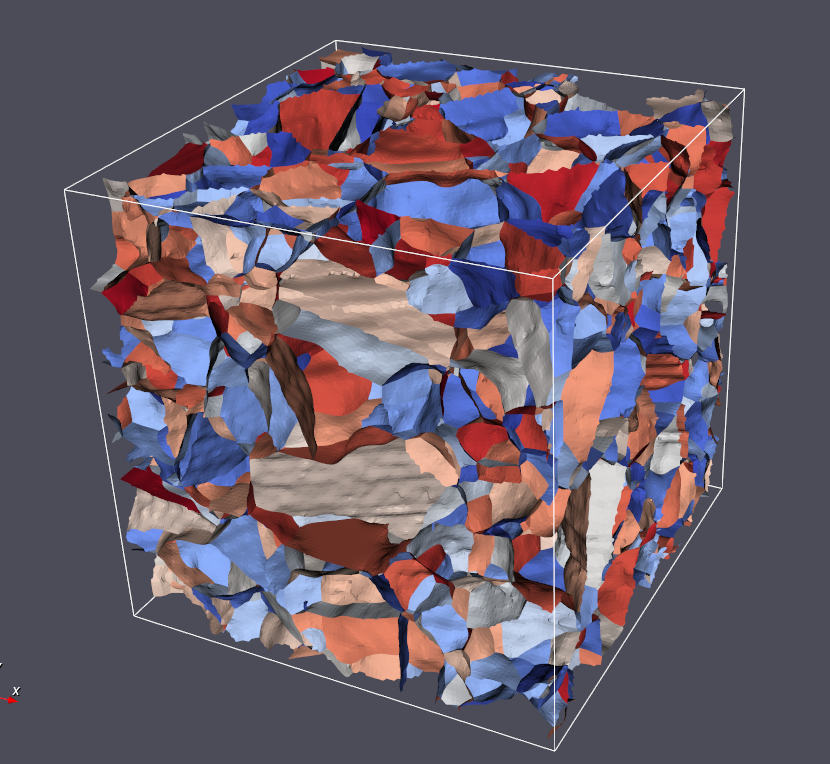
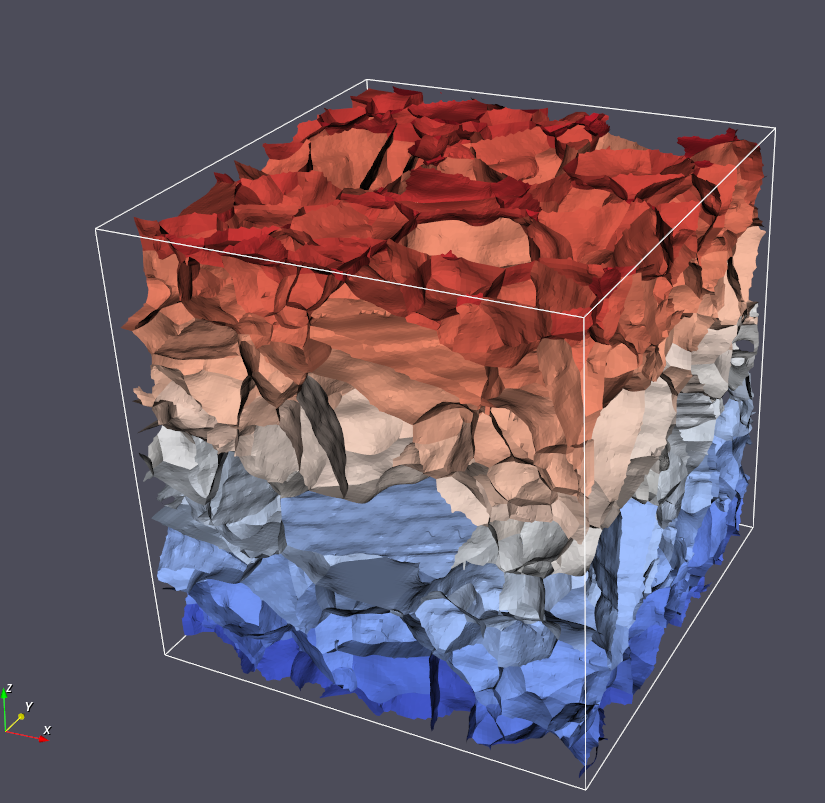
This Filter assigns a unique Id to each Triangle in a Triangle Geometry that represents the unique boundary on which that Triangle resides. For example, if there were only two Features that shared one boundary, then the Triangles on that boundary would be labeled with a single unique Id. This procedure creates unique groups of Triangles, which themselves are a set of Features. Thus, this Filter also creates a Feature Attribute Matrix for this new set of Features, and creates Attribute Arrays for their Ids and number of Triangles. This process can be considered a segmentation where each unique id is the shared boundary between two features.
Because the algorithm is essentially segmenting the triangles based on the unique combination of face labels, the filter will also generate a Feature level Attribute Matrix and place two additional DataArrays into that feature attribute matrix that store the following information:
The number of triangles in each unique boundary
The pair of Face Label values that made up the unique boundary.
Generated Feature Boundaries with Randomization
Generated Feature Boundaries without Randomization
Input Parameter(s)
Parameter Name |
Parameter Type |
Parameter Notes |
Description |
|---|---|---|---|
Randomize Face IDs |
Bool |
Specifies if feature IDs should be randomized. Can be helpful when visualizing the faces. |
Input Data
Parameter Name |
Parameter Type |
Parameter Notes |
Description |
|---|---|---|---|
Triangle Geometry |
Geometry Selection |
Triangle |
The complete path to the Geometry for which to calculate the normals |
Face Labels |
Array Selection |
Allowed Types: int32 Comp. Shape: 2 |
The DataPath to the FaceLabels values. |
Output Face Data
Parameter Name |
Parameter Type |
Parameter Notes |
Description |
|---|---|---|---|
Feature Face Ids |
DataObjectName |
The name of the calculated Feature Face Ids DataArray |
Output Face Feature Data
Parameter Name |
Parameter Type |
Parameter Notes |
Description |
|---|---|---|---|
Face Feature Attribute Matrix |
DataObjectName |
The name of the AttributeMatrix that holds the Feature Face data |
|
Feature Face Labels |
DataObjectName |
The name of the array that holds the calculated Feature Face Labels |
|
Feature Number of Triangles |
DataObjectName |
The name of the array that holds the calculated number of triangles for each feature face |
Example Pipelines
“(03) Small IN100 Mesh Statistics.d3dpipeline”
License & Copyright
Please see the description file distributed with this Plugin
DREAM3D-NX Help
If you need help, need to file a bug report or want to request a new feature, please head over to the DREAM3DNX-Issues GitHub site where the community of DREAM3D-NX users can help answer your questions.