12.21. Compute Kernel Average Misorientations
Group (Subgroup)
Statistics (Crystallography)
Description
This Filter determines the Kernel Average Misorientation (KAM) for each Cell. This Filter requires an Image Geometry, and the output KAM values are stored in degrees. The user can select the size of the kernel (in voxels) to be used in the calculation. The kernel size entered by the user is the radius of the kernel (i.e., entering values of 1, 2, 3 will result in a kernel that is 3, 5, and 7 Cells in size in the X, Y and Z directions, respectively; see Understanding the Kernel Radius below). The algorithm for the determination of KAM is as follows:
Calculate the misorientation angle between each Cell in a kernel and the central Cell of the kernel only if the kernel cell belongs to the same
FeatureId.Average all of the misorientations for the kernel and store at the central Cell
The Use Feature Ids option controls which Cells within the kernel are included in the average:
Checked (default): only Cells that belong to the same Feature (same Feature Id) as the central Cell are considered — the calculation will not cross grain boundaries. This is the traditional per-grain KAM.
Unchecked: the Feature Id grouping is ignored and the average may cross grain boundaries, producing a per-voxel KAM. A kernel Cell is still excluded if its Feature Id is 0 (invalid/background data) or if its Phase differs from the central Cell’s Phase (averaging is restricted to Cells of the same Phase).
In both modes, Cells with a Feature Id of 0 or a Phase of 0 are considered invalid and receive a KAM value of 0.
Note
All Cells in the kernel are weighted equally during the averaging, though they are not equidistant from the central Cell.
Understanding the Kernel Radius
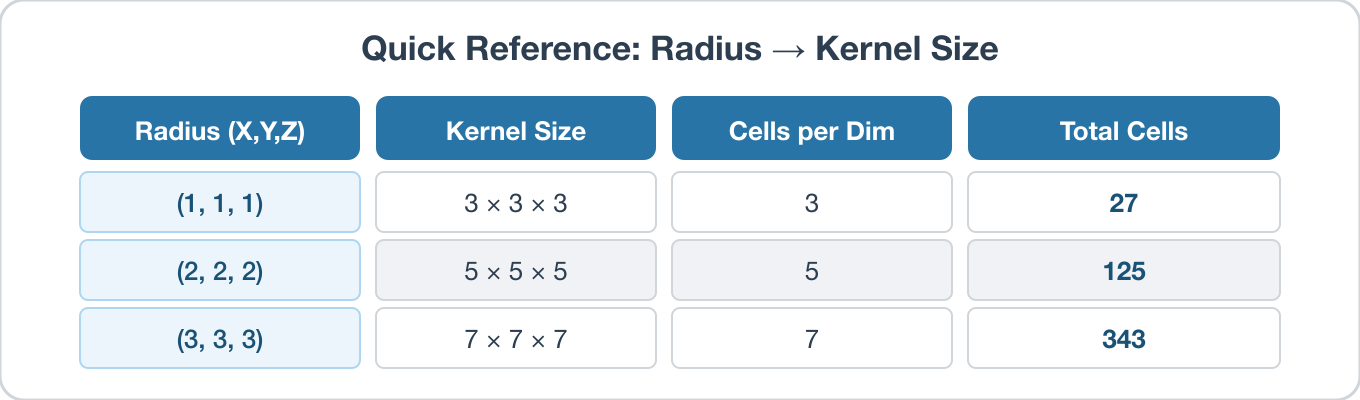
The Kernel Radius parameter has three components (X, Y, Z), and each value specifies how many Cells to extend outward from the center Cell along that axis. The resulting kernel size along each axis is:
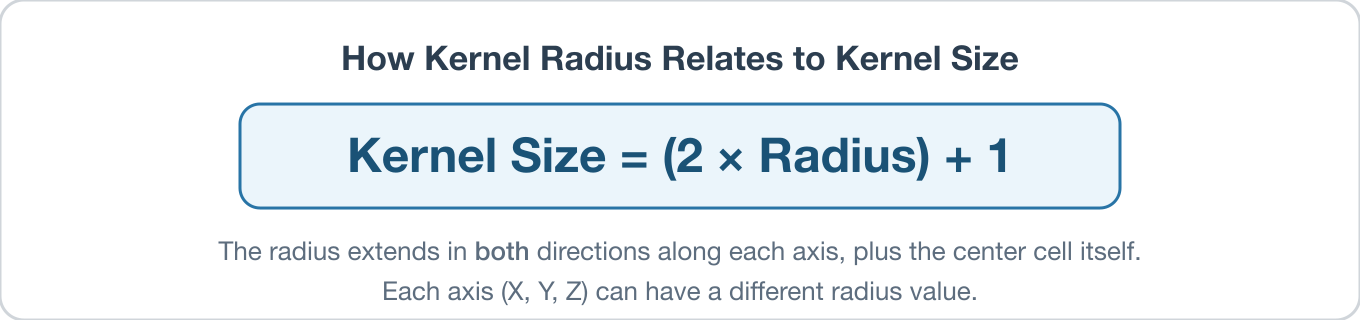
The kernel extends the specified radius in both directions (e.g., left and right) along each axis, plus includes the center Cell itself – hence the formula. The radius can be set independently for each axis. For example, a Kernel Radius of (1, 2, 3) produces a kernel that is 3 × 5 × 7 Cells in the X, Y, and Z directions, respectively.
1D Examples
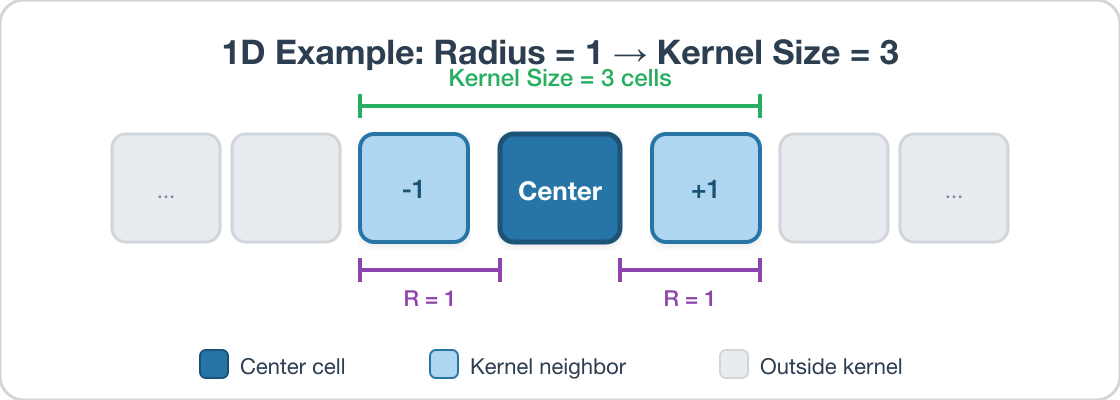
Consider a single row of Cells. With a radius of 1, the kernel extends 1 Cell in each direction from the center, giving a kernel of size 3:
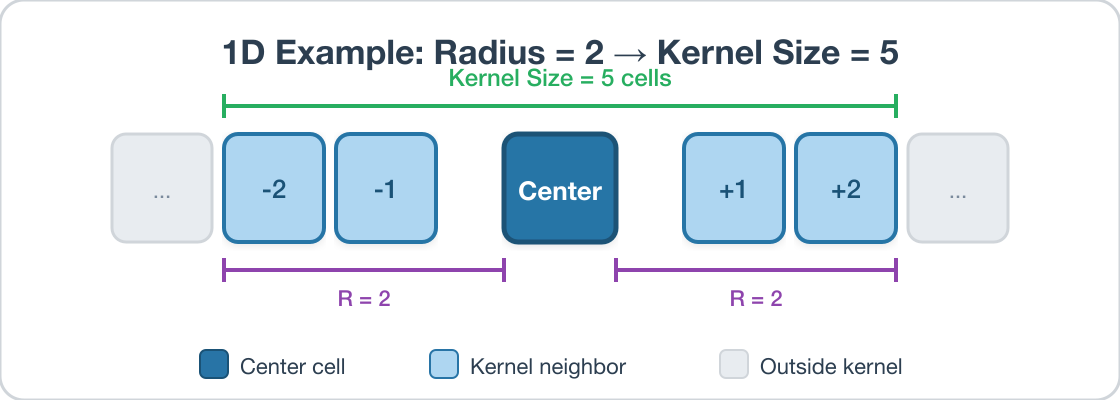
Increasing the radius to 2 extends 2 Cells in each direction, giving a kernel of size 5:
2D Examples
In 2D, the kernel forms a rectangular region around the center Cell. With a symmetric radius of (1, 1), the kernel is a 3 × 3 square:
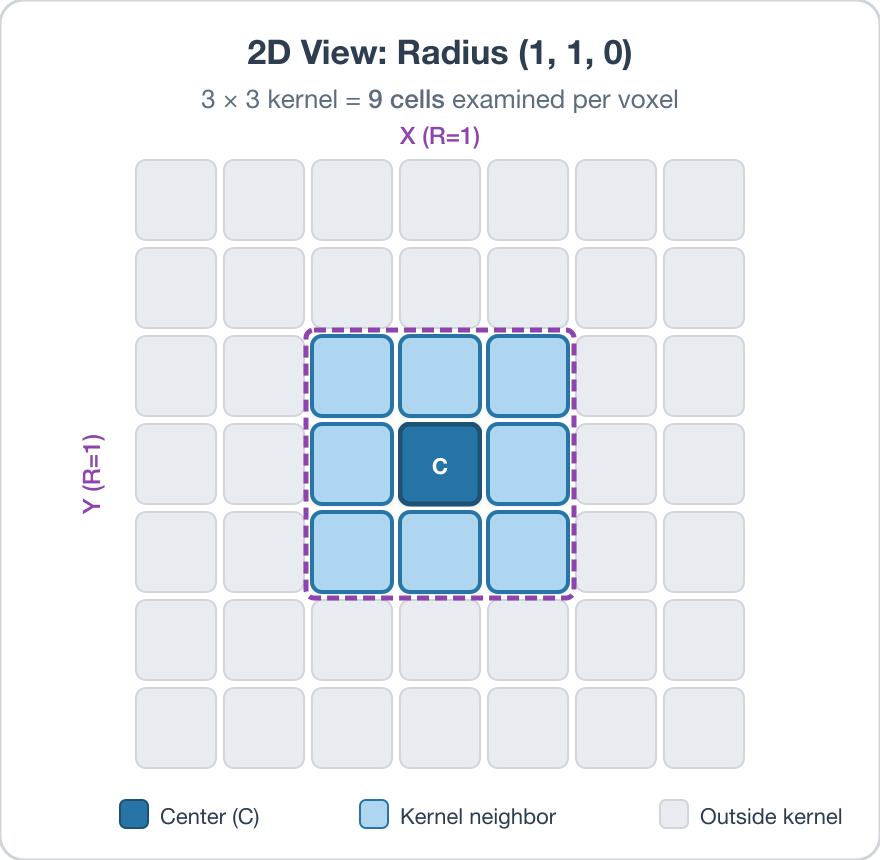
When different radii are used per axis, the kernel becomes non-square. With X Radius = 1 and Y Radius = 2, the kernel is 3 Cells wide and 5 Cells tall:
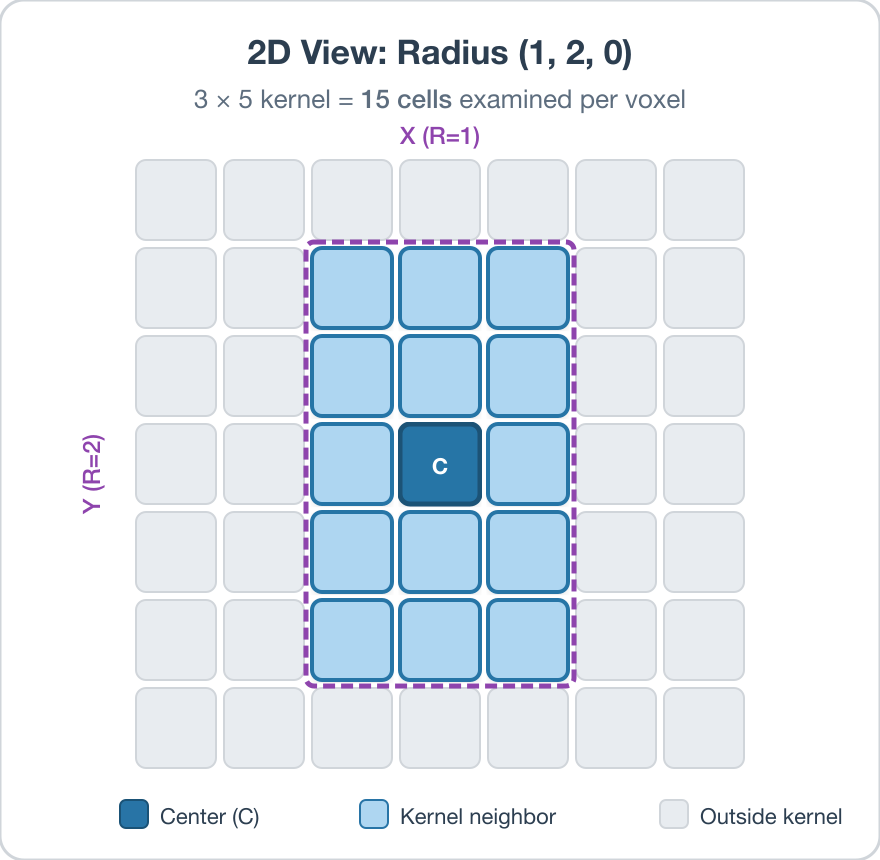
In 3D, the Z Radius works the same way, extending into adjacent slices above and below the center Cell.
Quick Reference
Required Input Sources
Cell Feature Ids – produced by a segmentation filter such as Segment Features (Misorientation).
Cell Quaternions – typically read from EBSD data via Read H5EBSD, Read CTF Data, or Read ANG Data.
Cell Phases – typically read from EBSD data alongside the quaternions.
Crystal Structures – ensemble-level array read from EBSD data or created by Create Ensemble Info.
For related per-feature misorientation metrics, see the Compute Feature Reference Misorientations and Compute Misorientation filters.
Input Parameter(s)
Parameter Name |
Parameter Type |
Parameter Notes |
Description |
|---|---|---|---|
Kernel Radius |
Vector of Int32 Values |
Order=X,Y,Z |
Size of the kernel in the X, Y and Z directions (in number of Cells) |
Use Feature Ids |
Bool |
When checked (default), only kernel Cells belonging to the same Feature as the central Cell are included in the average (per-grain KAM). When unchecked, every in-bounds kernel Cell with a Feature Id greater than 0 and the same phase as the central Cell is included, allowing the average to cross Feature boundaries (per-voxel KAM). |
Input Cell Data
Parameter Name |
Parameter Type |
Parameter Notes |
Description |
|---|---|---|---|
Selected Image Geometry |
Geometry Selection |
Image |
Path to the target geometry |
Cell Feature Ids |
Array Selection |
Allowed Types: int32 Comp. Shape: 1 |
Specifies to which feature each cell belongs. |
Cell Phases |
Array Selection |
Allowed Types: int32 Comp. Shape: 1 |
Specifies to which Ensemble each Cell belongs |
Cell Quaternions |
Array Selection |
Allowed Types: float32 Comp. Shape: 4 |
Specifies the orientation of the Cell in quaternion representation |
Input Ensemble Data
Parameter Name |
Parameter Type |
Parameter Notes |
Description |
|---|---|---|---|
Crystal Structures |
Array Selection |
Allowed Types: uint32 Comp. Shape: 1 |
Enumeration representing the crystal structure for each Ensemble |
Output Cell Data
Parameter Name |
Parameter Type |
Parameter Notes |
Description |
|---|---|---|---|
Kernel Average Misorientations |
DataObjectName |
The name of the array containing the average misorientation (in Degrees) for all Cells within the kernel and the central Cell |
Example Pipelines
MassifPipeline(05) SmallIN100 Crystallographic Statistics
License & Copyright
Please see the description file distributed with this Plugin
DREAM3D-NX Help
If you need help, need to file a bug report or want to request a new feature, please head over to the DREAM3DNX-Issues GitHub site where the community of DREAM3D-NX users can help answer your questions.