12.40. Read EDAX OIMAnalysis Data (.h5)
Group (Subgroup)
IO (Input)
Description
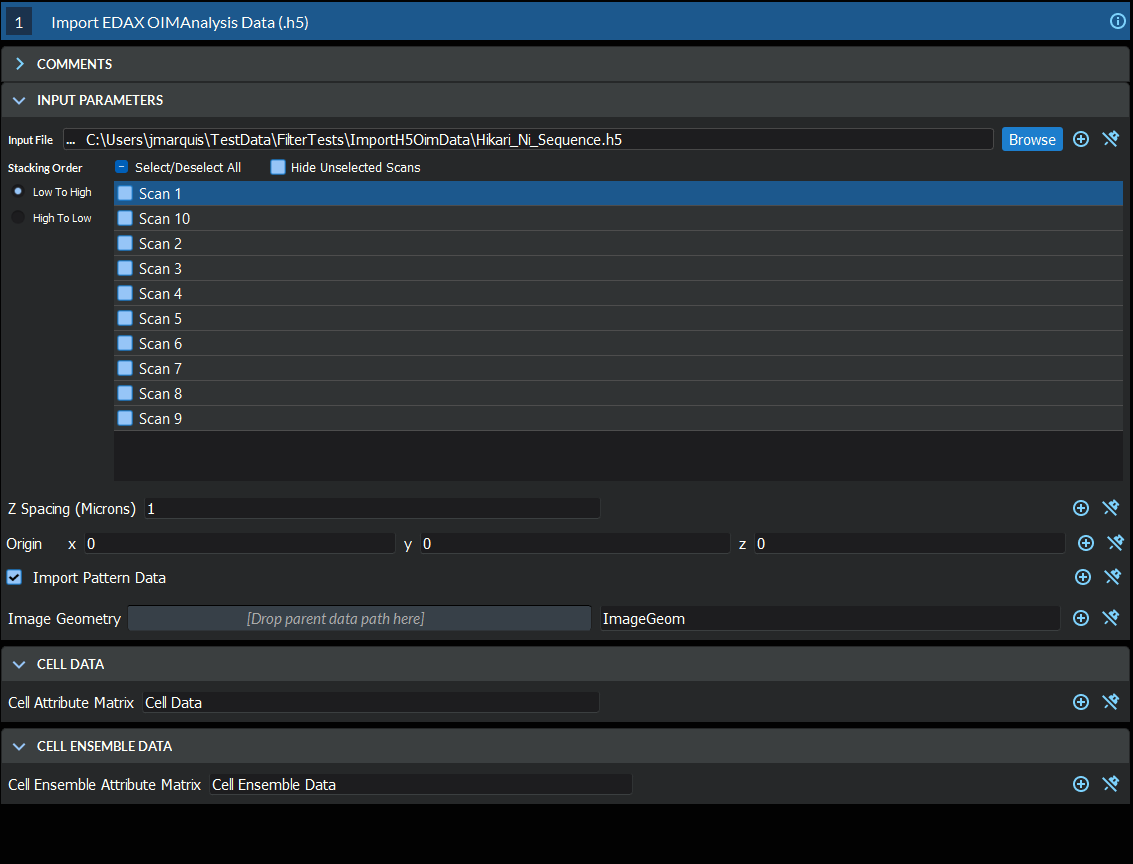
This filter reads a single .h5 file (the HDF5-based EBSD export from EDAX OIM Analysis software) into a new Image Geometry. Reading the file directly lets the data be used immediately by other filters, instead of having to first build an intermediate .h5ebsd file. A Cell Attribute Matrix (per-pixel data) and an Ensemble Attribute Matrix (per-phase data) are created to hold the imported EBSD information. The user currently has no control over the names of the created Attribute Arrays.
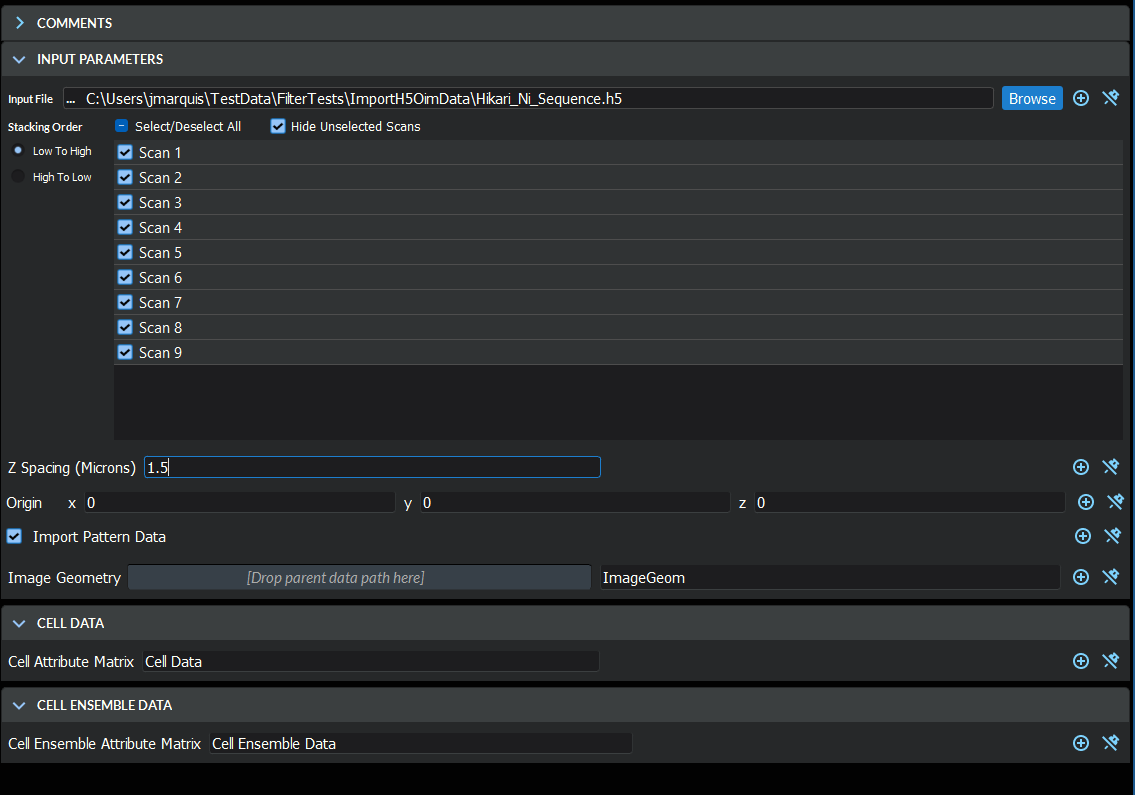
The scan stores an orientation at every pixel as three Euler angles (three angles, in the Bunge Z-X-Z convention, describing how the measured crystal at that pixel is rotated relative to the sample). When stacking multiple slices into a 3D volume, the Z Spacing parameter sets the out-of-plane distance between adjacent slices in microns, and the Origin parameter sets the location of the volume’s corner in microns.
Notes About Reference Frames
The user should be aware that simply reading the file then performing operations that are dependent on the proper crystal reference frame (the axes fixed to the crystal lattice) and sample reference frame (the axes fixed to the physical specimen) will be undefined or simply wrong. To bring the crystal and sample reference frames into coincidence, rotations may need to be applied to the data. The recommended filters are:
If the data has come from a TSL acquisition system and the settings of the acquisition software were in the default modes, the following reference frame transformations may need to be performed based on the version of the OIM Analysis software being used to collect the data:
Crystal Reference Frame: 90o about the <001> Axis
Sample Reference Frame: 180o about the <010> Axis
Important Consideration for Sample Reference Frame
If the user is importing more than a single slice from the HDF5 file and using the Rotate Sample Reference Frame filter, the user should CHECK the option ON for “Perform Slice By Slice Transform”.
Thresholding out Unindexed Scan Points
The user also may want to assign un-indexed pixels to be ignored by flagging them as “bad”. The Multi-Threshold Objects filter can be used to define this mask by thresholding on values such as Confidence Index > xx or Image Quality > desired quality. Confidence Index and Image Quality are per-pixel metrics that describe how reliable each individual measurement is.
Downstream Processing
Once the reference frames are correct, the imported Euler angles are typically converted to other orientation representations (quaternions, and so on) with Convert Orientation Representation before computing misorientations, segmenting grains, or generating pole figures.
Required Input Sources
None — this filter reads directly from a .h5 file on disk.
Input Parameter(s)
Parameter Name |
Parameter Type |
Parameter Notes |
Description |
|---|---|---|---|
Scan Names |
orientationanalysis.OEMEbsdScanSelection |
The name of the scan in the .h5 file. EDAX can store multiple scans in a single file |
|
Origin |
Vector of Float32 Values |
Order=x,y,z |
The origin of the volume |
Z Spacing (Microns) |
Scalar Value |
Float32 |
The spacing in microns between each layer. |
Import Pattern Data |
Bool |
Whether or not to import the pattern data |
Output Image Geometry
Parameter Name |
Parameter Type |
Parameter Notes |
Description |
|---|---|---|---|
Image Geometry |
DataGroupCreation |
The path to the created Image Geometry |
Output Cell Attribute Matrix
Parameter Name |
Parameter Type |
Parameter Notes |
Description |
|---|---|---|---|
Cell Attribute Matrix |
DataObjectName |
The name of the cell data attribute matrix for the created Image Geometry |
Output Ensemble Attribute Matrix
Parameter Name |
Parameter Type |
Parameter Notes |
Description |
|---|---|---|---|
Ensemble Attribute Matrix |
DataObjectName |
The Attribute Matrix where the phase information is stored. |
License & Copyright
Please see the description file distributed with this Plugin
DREAM3D-NX Help
If you need help, need to file a bug report or want to request a new feature, please head over to the DREAM3DNX-Issues GitHub site where the community of DREAM3D-NX users can help answer your questions.